How to add payment options
In this article:
Watch: How to add payment options 🎥
Watch: How to add payment options 🎥
📌 What payment methods does Sellfy offer?
Sellfy offers integrations with two major payment processors:
- Stripe allows customers to pay with any major credit card, Apple Pay, or Google Pay.
- PayPal allows customers to pay with a PayPal account, major credit cards, or local European payment options.
How to connect Stripe
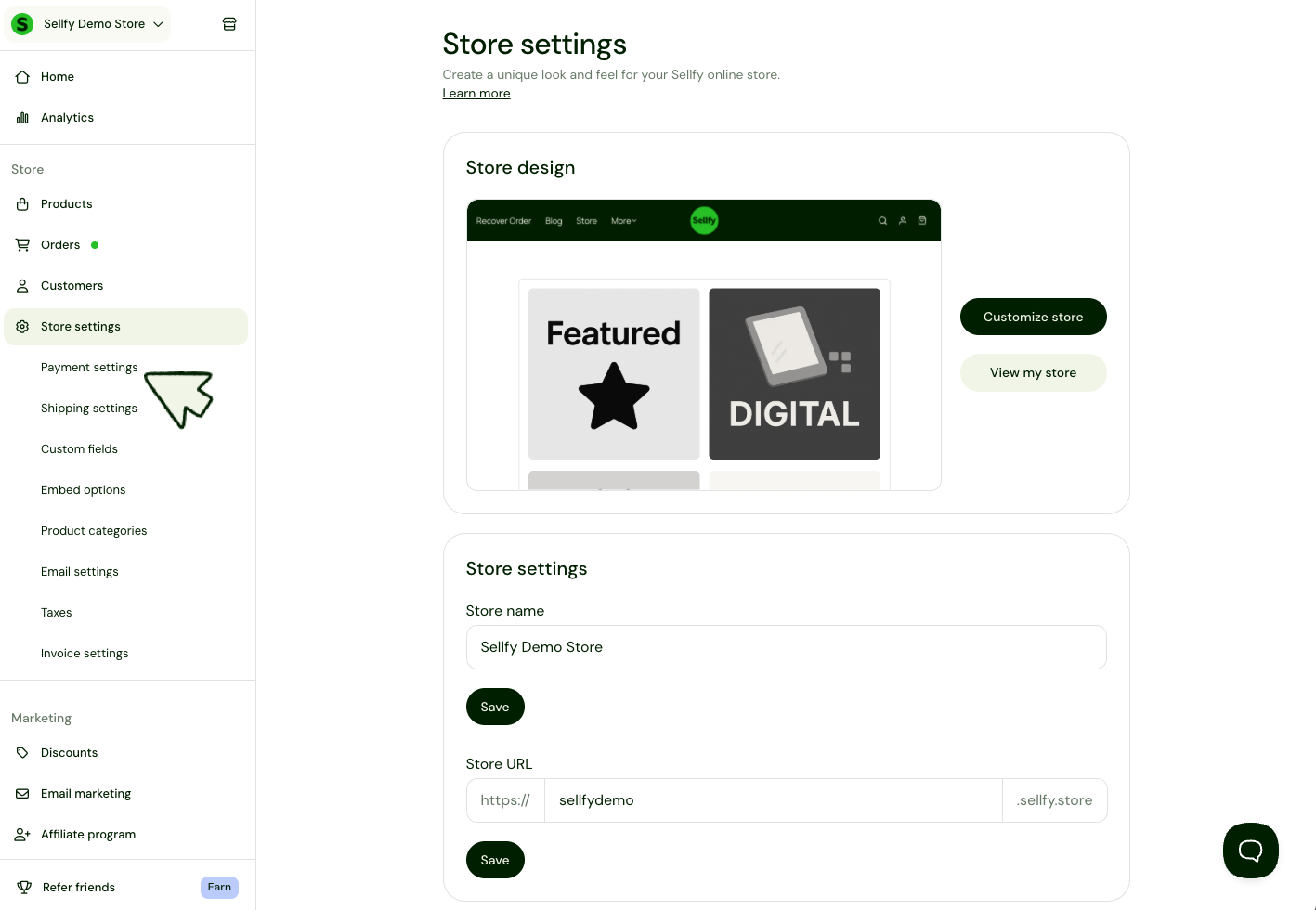
1. In the sidebar, click Store settings > Payment Settings.
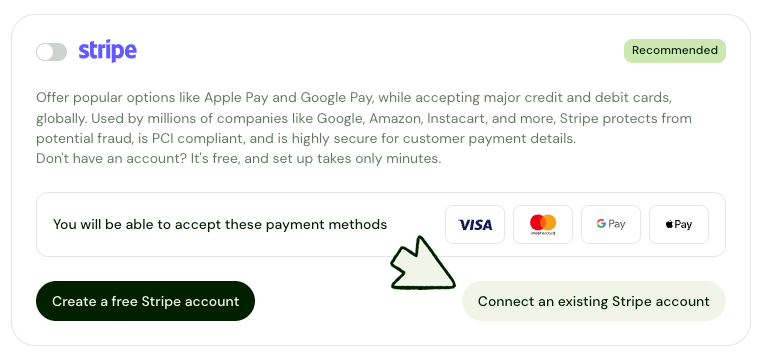
2. Click Connect an existing Stripe account.
If you don't have a Stripe account, click Create a free Stripe account to sign up.
3. If you are not yet logged in to your Stripe account, click Sign in in the top right corner.
4. Click Authorize access to this account.
5. You will be redirected to Sellfy payment settings. The green toggle to the far right of the Stripe will indicate that Stripe has been successfully connected.
How to connect PayPal
1. In the left sidebar, click Store settings > Payment Settings.
2. Click Connect with PayPal.
3. Enter your PayPal email address and click Next.
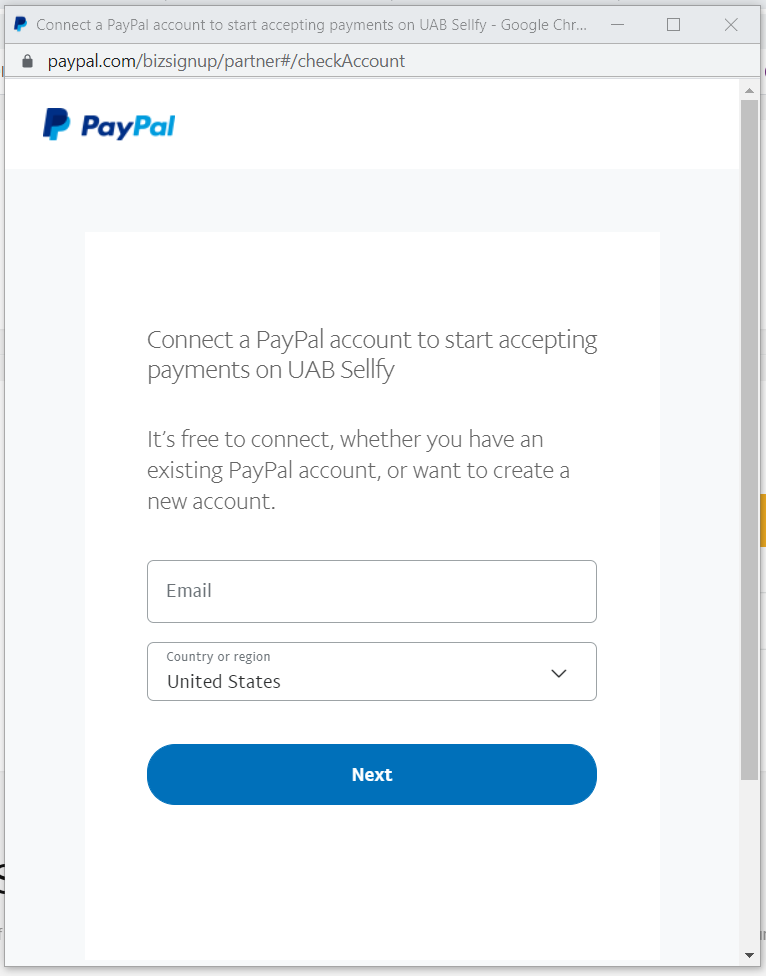
4. Log in to your PayPal account.
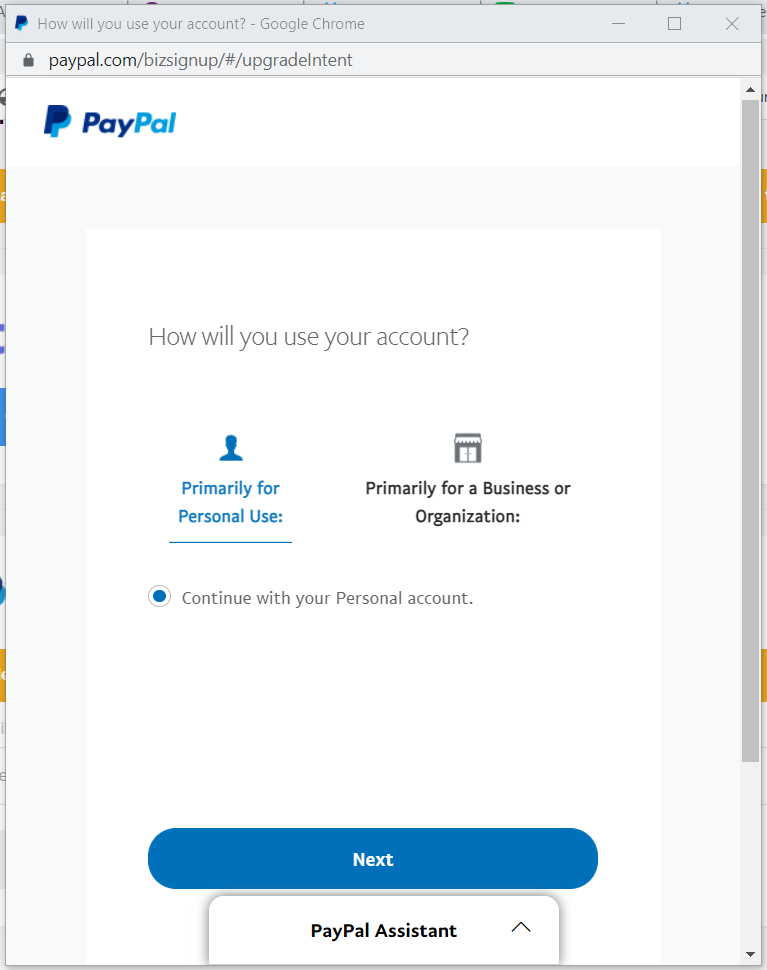
5. Choose the Primarily for a Business or Organization option.
6. Click Next.
7. Once the account is connected, click Go back to UAB Sellfy.